0 ratings




Item #:
30810655
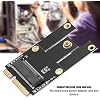
PCIe PCIe Card Key A M.2 NGFF to PCI-e Bluetooth Network Card Band PCI Adapter Network Card
Item #:
30810655
QAR 54
Price Details
Excluding Shipping & Custom charges ( Shipping and custom charges will be calculated on checkout )
*All items will import from US
0 ratings
Write a review
In stock
 Imported from USA store
QTY:
Only 1 item left in stock.
Order now and get it around Tuesday, June 30
Secured transaction
Ubuy works hard to protect your security and privacy. Our advanced payment security system ensures confidentiality by encrypting your information during transmission using AES (Advanced Encryption Standards) and SSL (Secure Socket Layer) protocols. Your payment details are 100% secure as we do not share your payment details with third party sellers.
Our Top Logistics Partners


We support bulk purchase of goods, our team offers every customer satisfaction guarantee.

Fast
Shipping

Free
Return*

Secure Packaging

100% Original Products

PCI DSS Compliance

ISO 27001 Certified


Note: Step Down Voltage Transformer required for using electronics products of US store (110-120). Recommended power converters Buy Now.


What Stands Out
Wide Compatibility
This PCIe card supports various operating systems and motherboards, ensuring seamless integration with most desktop configurations, making it a versatile choice for users seeking Bluetooth connectivity.
Enhanced Connectivity
Equipped with advanced Bluetooth capabilities, this adapter offers stable and fast wireless connections for multiple devices, addressing common connectivity issues faced by users with older hardware.
Easy Installation
Designed for hassle-free installation, this network card comes with clear instructions and necessary hardware, enabling users to quickly upgrade their systems without technical expertise.
Product Details
- 【Interface Type】The adapter card can be adapted to 2000, Vista 32/64 / 7 / 8 / 10 or Linux.The adapter adapter interface is Key A M.2 NGFF to PCI-e, it supports hot swap, plug and play; no additional power adapter and any driver are required.
- 【Suit for】Mini PCI-E slot, only supports KEY A or KEY A + E to PCI-E (cannot use a single Key E interface, does not include 9560 AC network card), compatible with BT card, not suitable for SSD, 3G / 4G module. You can adapt to high-end without upgrading the motherboard.
- 【Network Card Type】 9260AC 8265AC 8260AC 7265AC 7260AC 3165AC 3160AC, etc. DW1 560Z BCM9 4350Z BCM94352Z and so on, etc.And Realtek RTL 8822 RTL8821, etc. 1550AC 1535AC 1525AC.
- 【Purchase Suggestion】This product is not converted to desktop PCIE, but converted to MINI PCI-E; please confirm your network card interface when you purchase.
- 【2 Year Satisfied 】We support bulk purchase of goods, our team offers every customer satisfaction guarantee. We will provide high-quality products and services, we will update new products every day, search Oumij to see the updated products. Any problems while using, please feel to us.
| Hardware Interface | Bluetooth, PCI |
| Compatible Devices | Desktop |
| Data Link Protocol | Bluetooth |
| Item Weight | 0.01 Kilograms |
| Brand | Oumij |
| UPC | 765613776116 |
| Manufacturer | Oumij |
| Mfr Part Number | h94r0qwkgd |
| Model Number | h94r0qwkgd |
Who Should Buy?

-
Gaming Enthusiasts
Ideal for gamers needing stable and fast Bluetooth connections for peripherals like headsets and controllers.
-
DIY PC Builders
Perfect for those assembling custom PCs and looking to add wireless connectivity options with the latest technology.
-
Remote Workers
Great for individuals who work from home and require reliable wireless connectivity for video conferencing and file transfers.

-
Casual Users
Regular users who only need basic connectivity might find this card unnecessarily complex or over-specified.
-
Older Systems
May not be compatible with older motherboards that lack M.2 slots or appropriate PCIe support.
-
Budget-Conscious Buyers
Users looking for low-cost, basic connectivity solutions may find more economical options elsewhere.
Product Description
Have any Query? Chat with us
Customer Questions & Answers
-
Question:
What is a PCIe PCIe Card Key A M.2 NGFF to PCI-e Bluetooth Network Card?
Answer: The PCIe PCIe Card Key A M.2 NGFF to PCI-e Bluetooth Network Card is an adapter designed to enable Bluetooth connectivity in devices lacking integrated Bluetooth support. This adapter connects to a motherboard's PCIe slot and features an M.2 interface, which allows for seamless integration into modern systems. The product is ideal for users who want to upgrade their desktops or laptops that do not have built-in Bluetooth capabilities, enabling features like wireless file transfer, audio streaming, and connecting peripherals. -
Question:
Is this PCIe adapter compatible with all PC motherboards?
Answer: Compatibility of the PCIe adapter depends on the specific motherboard used. Most PCIe Motherboards that support M.2 slots will work with this adapter. Before purchasing, check the specifications of your motherboard to confirm it has a compatible M.2 slot and supports Bluetooth functionality. This is crucial for ensuring that you can achieve the desired wireless connectivity without issues. For example, gaming rigs or office desktops that rely on high-performance components are often ideal candidates for this kind of upgrade. -
Question:
How do I install the PCIe PCIe Card Key A M.2 NGFF?
Answer: Installation of the PCIe PCIe Card Key A M.2 NGFF requires a few simple steps. First, ensure your PC is powered off and unplugged. Open the case and locate an available M.2 slot on your motherboard. Align the adapter with the slot and gently insert it, securing it in place with the provided screws if needed. Finally, close your case, power on your computer, and install the necessary drivers for the Bluetooth functionality. This step is important to ensure that your operating system recognizes the new adapter, unlocking all its features. -
Question:
Does this adapter support the latest Bluetooth versions?
Answer: Yes, the PCIe PCIe Card Key A M.2 NGFF typically supports the latest Bluetooth versions, including Bluetooth 5.0 or higher, depending on the chipset used. Bluetooth 5.0 offers faster data transfer rates and extended range, making it suitable for a variety of applications such as audio streaming or connecting to smart home devices. This is particularly beneficial for users who want improved performance and reliability for wireless connections in their computing environment, whether for gaming, home office setups, or media consumption. -
Question:
Can I use this PCIe Bluetooth Network Card with Linux operating systems?
Answer: Yes, many users report success when using the PCIe PCIe Card Key A M.2 NGFF with Linux operating systems. It's key to ensure that drivers are available for Linux and that the community supports the specific chipset utilized in the card. Many popular distributions include driver support out-of-the-box, while some may require manual installation. This is beneficial for tech-savvy users or developers who prefer open-source systems, allowing them to enhance their setups without relying solely on mainstream operating systems. -
Question:
What are the potential benefits of upgrading to a Bluetooth network card?
Answer: Upgrading to a Bluetooth network card through the PCIe PCIe Card Key A M.2 NGFF can offer numerous benefits, including the ability to connect various wireless devices without clutter. Users can control smart home devices, pair headphones for an immersive audio experience, and transfer files easily across devices non-intrusively. Furthermore, this type of upgrade can improve your overall tech ecosystem by reducing the number of physical connections, enhancing your workspace or entertainment area’s aesthetics and functionality in the process. -
Question:
Can I use this card for Wi-Fi connectivity as well?
Answer: No, the PCIe PCIe Card Key A M.2 NGFF is specifically designed for Bluetooth wireless connectivity only. For Wi-Fi capabilities, you would need a separate PCIe wireless network card or a combo card that includes both Wi-Fi and Bluetooth. This distinction is important for users needing both functionalities, as it helps in choosing the right product for their specific requirements—ensuring that both a solid internet connection and seamless Bluetooth accessory support can coexist in their computing environment. -
Question:
What devices can I connect using this Bluetooth adapter?
Answer: Using the PCIe PCIe Card Key A M.2 NGFF Bluetooth adapter, you can connect a multitude of devices such as wireless mice, keyboards, headphones, speakers, and smart home devices. This versatility makes it a perfect addition for anyone looking to enhance productivity, entertainment, or smart living setups. Whether you're a gamer seeking to reduce latency or a professional who wants a cleaner workspace, this adapter opens up endless possibilities for seamless connectivity with a wide range of devices. -
Question:
How can I troubleshoot connectivity issues with the Bluetooth card?
Answer: If you encounter connectivity issues with the PCIe PCIe Card Key A M.2 NGFF, start by ensuring that the drivers are correctly installed and updated. Check the device manager to see if the card is recognized and functioning. If connectivity problems persist, try resetting your Bluetooth devices and ensuring they are within range and in pairing mode. You might also explore potential interference from other wireless devices. Often, simple adjustments like these can resolve connectivity issues, allowing you to enjoy a hassle-free wireless experience. -
Question:
Where can I buy the PCIe PCIe Card Key A M.2 NGFF to PCI-e Bluetooth Network Card?
Answer: You can buy the PCIe PCIe Card Key A M.2 NGFF to PCI-e Bluetooth Network Card from Ubuy in Qatar. Ubuy offers a wide selection of computer components, including this Bluetooth adapter, making it easy for you to enhance your connectivity options. Shopping through Ubuy ensures you find reliable products with convenient access to various accessories that can complement your tech needs, making it an ideal platform for tech enthusiasts.
Oumij Network Cards h94r0qwkgd Editorial Review
The Oumij PCIe Wireless WiFi PCIe Card Key A M.2 NGFF to PCI-e Wireless WiFi Bluetooth Network Card Dual Band Wireless PCI Adapter Network Card seems like a highly technical piece of equipment. Unfortunately, it is difficult to determine the product's features or capabilities from the reviews given. However, the reviews are not for this product but instead seem to be for a backpack. It is unclear if this is a simple mistake or if the product listing has been misrepresented.
Customer Reviews & Ratings
6 customers ratings
-
5 Star
46%
-
4 Star
0%
-
3 Star
0%
-
2 Star
21%
-
1 Star
33%
Review this product
Share your thoughts with other customers
Cons
- Reviews are not for the product listed.
Product Price History
Important information
- Limitations : For products shipped internationally, please note that any manufacturer warranty may not be valid; manufacturer service options may not be available; product manuals, instructions, and safety warnings may not be in destination country languages; the products (and accompanying materials) may not be designed in accordance with destination country standards, specifications, and labeling requirements; and the products may not conform to destination country voltage and other electrical standards (requiring use of an adapter or converter if appropriate). The recipient is responsible for assuring that the product can be lawfully imported to the destination country. When ordering from Ubuy or its affiliates, the recipient is the importer of record and must comply with all laws and regulations of the destination country.
- Not all the products listed on Ubuy are for sale, as Ubuy is a global search engine. Products are subject to export/trade regulations.
QAR 54
Order now and get it around Tuesday, June 30
This item is not restrict in my country.(Please click on above link if this item is not restrict in your country, So our team will review and allow.)
QTY:
Only 1 item left in stock.
Secured transaction
Ubuy works hard to protect your security and privacy. Our advanced payment security system ensures confidentiality by encrypting your information during transmission using AES (Advanced Encryption Standards) and SSL (Secure Socket Layer) protocols. Your payment details are 100% secure as we do not share your payment details with third party sellers.
Our Top Logistics Partners
Fastest cross-border delivery
Features & Benefits
- Durable adapter made from high-quality materials.
- Supports hot plug and plug-and-play functionality.
- Compatible with various operating systems: Windows and Linux.
- Specifically designed for M.2 NGFF to PCI-E conversion.
- Includes a 2-year satisfaction guarantee for customer peace of mind.
- Ideal for adapting high-end network cards without motherboard upgrades.